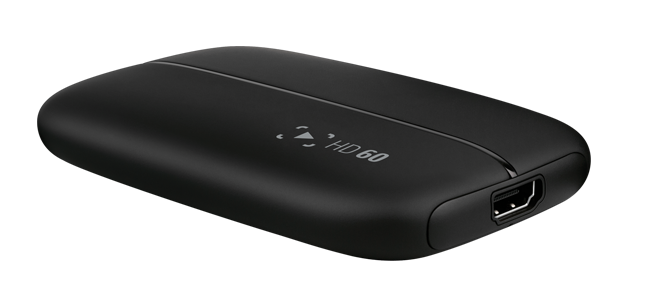
Elgato HD60 with Mac OS and Twitch

hd60

I chose the HD60 for a few reasons.  It got really good reviews, and I also asked streamers that had good quality streams what they used. What I didn’t realize is that support for the HD60 on Mac computers is limited. They don’t write the drivers for Mac so you can’t capture the stream directly for use with OBS*. In most cases you will be relegated to using the Game Capture HD software with this device. This software works well but, it’s limited. Currently the stable version does not support overlays. The beta software does though, but it’s still limited. With the beta software you can set up a webcam and a few overlays on your stream. You cannot setup Twitch notifications, or any of the other cool integrations you can have with OBS.

*You can use OBS with this card, but you can’t capture directly from the device itself,  you have to use Window capture or Screen capture and both have issues. If you use window capture I found that it works but, the video in my Twitch stream was rickety. For example, if a character turns his head the movement wouldn’t be smooth. It’s hard to explain.. If you try to use display capture you’ll have to have a high resolution or a big screen so you can separate the OBS screen from the Game Capture Screen. This is because display capture captures everything in a certain area, if you have any overlap with OBS you get an infinity effect. This was too big of a problem for me to overcome. So, I’m left with only using the Elgato software.

After the Mac updated to version 10.11.5 of El Capitan I’ve had issues with Game Capture HD. The stable version of the software has major video quality issues. I’ve tried the beta versions but they have issues too, which I’ll describe:

gchdm_203_970 [stable version]  — Worked great before the 10.11.5 Mac update. Now it has video streaming issues, stream quality completely brakes down if there is any movement. If you played a game without much movement like a card game it might be okay. I play Splatoon and it’s completely unusable for that.  (Since the 10.11.5 update the video has been broken for streaming and recording, this version is no longer usable)

gchdm_204_981  [stable version] — This is the updated stable version I downloaded on August 11, 2016. It has the same issues as the previous stable version. It is unusable for streaming.

gchdm_21b66_1036_PB  [beta version] — This fixed the video issue, but there is a recording issue, if I grab 2 mins of a 2hr stream, the 2min segment file size will be as big as the entire 2 hour stream. (This is the version I use now, it’s the only one that streams video and audio correctly)

gchdm_21b84_1084_PB  [beta version] — This may have fixed the recording size issue, the file size was 85mb for a 2 minute segment of a stream, so I’m not sure, but this introduces a microphone issue during streaming. The audio is robotic and broken up. (Unusable for streaming)

gchdm_21b85_1101_PB  [beta version] — The microphone audio is still an issue for streaming. (Unusable for streaming)

October 2017 update: 2.8(1315) Same voice audio issues. Voice audio breaks up. This article was published in August of 2016. It’s now October 12, 2017. Game capture HD still has the same exact issues it did a full  year and 3 months ago.

I have been working with Elgato support from June 18th until today, July 20th) We haven’t really gotten anywhere, but they are trying to help. Based on my testing, the issue is with their software, but Elgato support personnel continue to pin the issue to my computer.

Update: August 11, 2016. After I updated El Capitan to version 10.11.6 the video with all versions of the Game Capture HD breaks up and is unusable for streaming.

I really wish Elgato would write a driver for Mac so that video could be captured directly. I could use OBS with all of it’s features. So, based on all of this I would say if you have a Mac you may want to look for another streaming card, at least to stream on a service like Twitch. You may want to look into the AVerMedia Live Gamer Portable 2. They have Mac drivers and you can use it with OBS. Update: Apparently, they do not have Mac drivers. Update October 2017: Avermedia does have drivers for Mac now and OBS can be used. I’ve been using it with OBS for months now.

I really liked the Elgato HD60. I call it a river rock because it looks and feels like one. My wife got it for me for my birthday. I think the hardware is sound, and it’s well made. So far I’ve had a lot of fun streaming too. However the technical issues and limitations are taking the fun out of it.

Note: I am a independent computer consultant. I support Windows, Mac and Linux. My experience range from hardware to software and networking.


 

The quest for Canele – Roundup & Troubleshooting

I’ve made a lot of batches of Canele and I want to share what I’ve learned along the way with a few troubleshooting tips.

Mixing air into the batter

In many recipes it says to be careful mixing the batter because air will cause them to rise out of the molds. I experimented with this. What I found was that whisking or mixing vigorously for me made no difference! In fact now I mix the batter in a blender which incorporates a ton of air. After a 48 hour rest and several stirs over the period of days causes the air to come out.

What is causing the Canele to rise out of the molds?

In one word, egg whites. They do still rise a bit with only yolks, but I’ve found that every time I’ve used egg whites they have risen out of control. Another change I made was to use granulated sugar instead of powdered sugar. I also stopped sifting my flour. I mix my ingredients in a blender and I rest the batter 48 hours.

I’m thinking, this may not occur as much if baking in copper molds. I’ve read that the first 20 minutes of baking may set the batter and keep it from rising. More testing will be needed.

Update: Recently, I purchased copper molds. So far, they are rising more out of the copper then the silicone.

Why is the Canele sinking in the middle

I think this is caused by too much liquid. Here is an example. canele attempt 4

This is mid bake, you can see how they caved in the middle. To fix this I used less milk. I lowered the amount from 1cup to 7/8 cup.

How to get that really crips and mahogany crust (the molds)

A large part of the flavor and experience of Canele is that dark brown exterior. There are a few types of molds. Copper, Silicone, and Aluminum. I can confirm it’s true what they say. you simply won’t get the deepest darkest crusts unless you use Copper. This is because copper conducts heat the best. You can get a great result however with silicone, it won’t be as dark as with copper, but it can still be awesome. I have gotten a good result from aluminum, better then silicone but as a rule I don’t like cooking in aluminum.

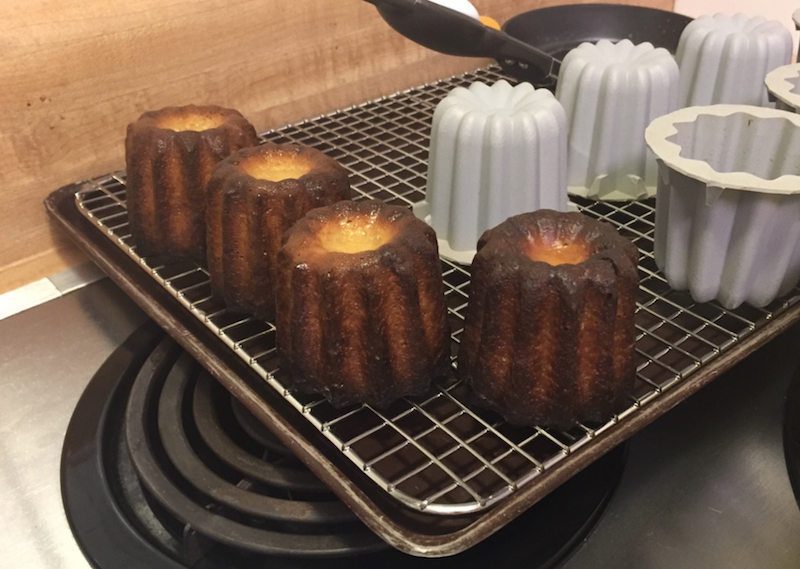
This is about the best I can do with silicone in my electric oven. I’ve seen them darker made with silicone, but I think they were made with a convection oven.

canele color

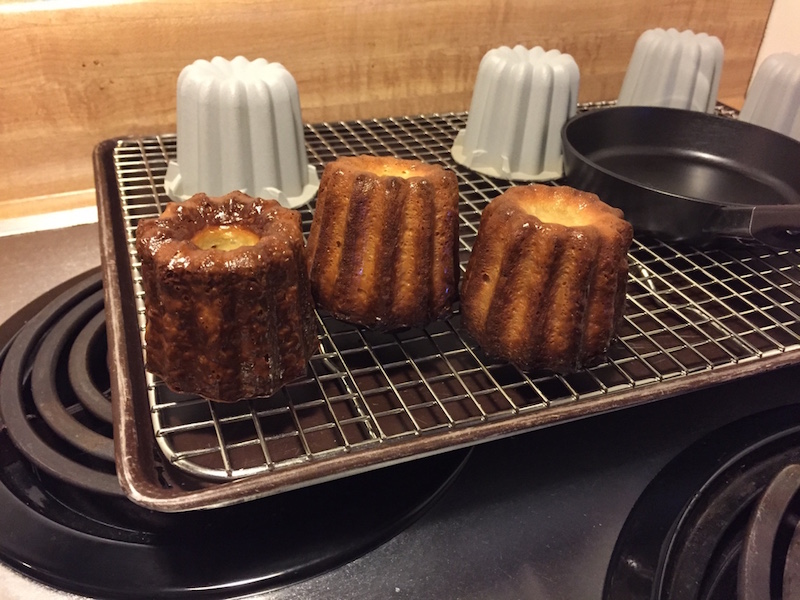
I have got them darker using silicone, but I think they were a bit burnt an dried out. Image below.

Canele color

I did get them darker once with out burning, I used a dutch oven. I baked them in a Le Creuset braiser with the lid on. Below is the result.

canele in a duch oven

Below is an example of aluminum vs silicone. The one on the left was made using an aluminum mold. The two on the left were in silicone. All baked at the same time.

aluminum silicone

The beeswax and butter mixture

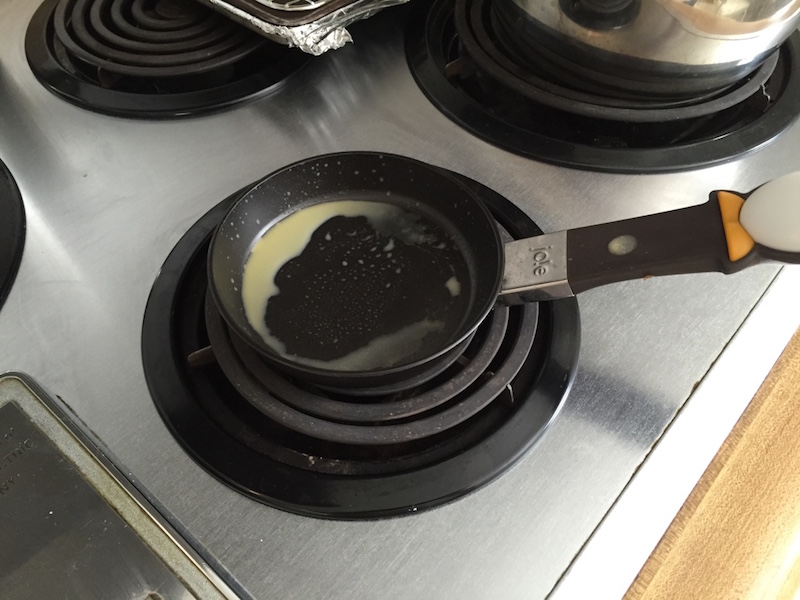
I really wanted to make a video of my technique, but I can tell you less is more. A really thin coating is best. The image below shows the amount of beeswax butter mixture that I use. I gently warm it then brush it into the molds. I brush the bottom first then brush each of the fluted sections with one swipe from the bottom to the top. This would be enough for 12 molds.

beeswaxbutter

Below is an example of too much wax. in the mold. You should have a very thin and very even coating.

too much beeswax

This is the current recipe that I’m using

Here is the recipe I’m using

This post is part of a 7 part series on Canele

iTunes deleted all of my apps when I didn’t authenticate

cracked-broken-apple-logo_full

Recently I purchased a new Mac laptop. I moved my iTunes data from the old laptop to the new one. The first time I tried to sync my iPhone 6 it said I had to have encrypted backups. I have no idea why. I didn’t have that setting checked. However, that isn’t the main problem. When I first synced it asked me to authenticate with iTunes. When I declined it popped up a few more times and I declined repeatedly. Finally it started to sync. I was watching my phone and I noticed that my app icons started to disappear. At first I thought maybe this was normal, but after a few moments I realized this was a disaster. I pulled the cable out of my phone, but by this time the damage was done. I was left with 23 apps out of a previous 99.

I thought about the options, and decided rather then to sync with my old computer. This would not have brought back the data anyway. I decide to sync again with the new laptop. This time I authenticated. I noticed right away that it put all of my apps back onto my phone, even creating the correct folder structure. Problem was, all the the data in the apps that were deleted was GONE. I spend over 3 hours re-configuring my apps. I lost a lot of data. Including two games I had been playing for over 6 months. Along with all of my progress. I had backed up my phone not too long before with dropbox and other online services. So, extremely critical data was recovered, but not all.

I’m really pissed this happened. My wife kept asking why this would happen. I speculated that because I didn’t authenticate iTunes Apple thought me a pirate and therefore assumed I didn’t have ownership to my own apps. This is my best guess. My wife said she feels she is no longer in control of what happens with her iPhone when syncing.

iTunes didn’t even provide a warning before wiping out my apps. I don’t remember seeing a message that said, if you don’t authenticate, all of the apps from your phone will be deleted. That would have given me a chance and I would have clicked an enthusiastic NO.

I really like my Apple products, but I don’t know how this could happen.

As an aside, I’ve noticed when setting up iPhones and Apple computers more and more is dictating how your data is stored without giving the user a choice. It’s forces iCloud on the user, and it’s not easy to find the settings to turn all of it off. I know Apple wants to integrate services, but it’s doing it with a heavy hand. Unless the user is savvy they will not even know what’s going on. I’m an expert and I still wonder sometimes. I turned off a lot of iCloud services after they were defaulted to on, on my new Macbook.

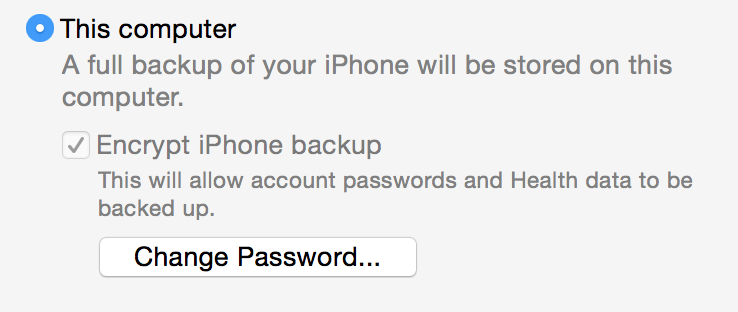
As far as insisting to encrypt my backups, I’m lost. I have no idea why now it’s doing this. iTunes provides no reason, and no other option to move forward. I like encryption, but on my terms, not Apples.

itunes encrypted backup
Maybe it forces encryption because of health data. The option to uncheck is greyed out.

I would like to see Apple explain what it’s doing and why, and give users the chance to decide for themselves.